Twitter

This is default featured post 1 title

Go to Blogger edit html and find these sentences.Now replace these sentences with your own descriptions.This theme is Bloggerized by Lasantha Bandara - Premiumbloggertemplates.com.

This is default featured post 2 title

Go to Blogger edit html and find these sentences.Now replace these sentences with your own descriptions.This theme is Bloggerized by Lasantha Bandara - Premiumbloggertemplates.com.

This is default featured post 3 title

Go to Blogger edit html and find these sentences.Now replace these sentences with your own descriptions.This theme is Bloggerized by Lasantha Bandara - Premiumbloggertemplates.com.

This is default featured post 4 title

Go to Blogger edit html and find these sentences.Now replace these sentences with your own descriptions.This theme is Bloggerized by Lasantha Bandara - Premiumbloggertemplates.com.

This is default featured post 5 title

Go to Blogger edit html and find these sentences.Now replace these sentences with your own descriptions.This theme is Bloggerized by Lasantha Bandara - Premiumbloggertemplates.com.

Wednesday, 29 June 2011

User Interface - Principles of Design

Members: Xin (Catherine) Liao & SangKyum Dawn Kim


Principle #1 - Structure
> The interface is organized productively and keeps certain purposes categorized.
> Focus on the UI architecture, keeping it simple and apparent, easily recognizable of its functions.
Technique #1
Word your messages and labels effectively
Users of all levels are able to understand the functionality and purpose of the information given. Wording is simple yet effective enough to understand.
Technique #2
Your design should be intuitable
To accompany trial and error for the better learning curve, users can find out which button serves which purpose, also with the help of certain images and/or symbols.
Technique #3Group things effectively
Grouped items can be in great effect when done correctly. In this case, Microsoft Word allows users know where to find certain functions for different tasks without any trouble.


Microsoft Word and other Microsoft Office applications are reliable and known to be very organized into categories and separate pages. It shows the architecture of how they built the interface well enough so that navigation for users is easily recognizable, and simple.

Principle #2 - Simplicity
> The user interface must not be complicated or clogged up with useless information.
> Simple keyboard & mouse commands to lead to the user’s desired destination or end result should be quick and easy.
> Communication between the user and interface is vital so that the product is usable for anyone.
Technique #1
Follow the contrast rule
Creating colors and objects fit for the user’s eyes at all times is important so that frustration or any type of harm does not affect the user. In this case, the seemingly light grey background can match any other colored background and still create a sense of comfort for anyone.
 Technique #2
Align fields effectively
Clean and efficient methods of organization are important so that the user does not complicate matters and see a jumbled up interface. Especially in this case, while the functions are easily labeled and somewhat categorized, the corresponding labels lead to another set of easily labeled functions.
Technique #3Don’t create busy user interfaces
Creating screens that are difficult to understand make it harder for the user to use. The interface should not crowd the majority of the screen so that it creates a sense of simplicity and organization for the user.

Windows OS does a great job in keeping things simple and very user-friendly so that all levels of users -high or low- can use the interface well enough without running into problems. Communication between the UI and Windows is simple and straight to the point.

Principle #3 - Visibility
> Giving the user too many options to choose from can complicate matters and take up too much time
> UI regarding visibility should exclude unneeded information and aim to give the user only a selected few options.
Technique #1Expect your users to make mistakes
Users of all levels should be able to deal with any sort of mistakes, allowing the interface to be as versatile as possible so that they may go back to the previous page/option and start again. In this case, virtually clicking anywhere will take the user back/to another selection.
Technique #2
Align fields effectively
Organized data is something all users look for on common grounds. By aligning sections from left to right and even creating drop-down tabs, it makes it easy for the user to operate on any grounds.
Technique #3Navigation within a screen is important
As most users tend to start from the top left, navigation designs are created in a manner of top to bottom and left to right. In this case, both apply since there is a lot of content to go through while keeping it simple and understandable.

Amazon does a great job in organizing their website while keeping tabs organized and apparent enough for all users to easily navigate around their website, informing them of any necessary information and/or actions required to not give the user a hard time.

Principle #4 - Feedback
> The users are being notified by the producers in well constructed language and images if needed. Any updates, mistakes, new techniques, changes made are informed to users.
> Two way interaction, users give feedback to the producers, producers improve the techniques and report back to the clients.
Technique #1Word your messages and labels effectively
In order to make users understand the information, the feedback that has been giving out by the producers need to be clear and simple written; in some cases images are helpful can be helpful, too.
 Technique #2
Follow the contrast rule
Another way to deliver the feedback successfully is by using readable color of texts and backgrounds for the updates interface. In this case, the contrast rule, this is known as “Use dark text on light backgrounds and light text on dark backgrounds” could be really efficient.
Technique #3
Group things effectively
Related information and images are needed to be grouped together to create an easy looking interface. This way leads to a better reading situation for the users.

Adobe usually does nice jobs on their feedback part. The information is giving through email. It is easier for users to access because they don’t have to go and check from the official website. The contents are well designed, includes video which helps the clients avoiding boredom. Related information are grouped together to stay away from confusion.


Principle #5 - Tolerance
> The User Interface has to assume that users make mistakes while they access the product.
Actions such as redo, undo, tolerating and interpreting increase the usability and make the product handier.
> These actions and corrections have to be accurate and noticeable; therefore, it can keep clients on track.
Technique #1
Expect your users to make mistakes
This concept is like the definition of the principle, only when this technique is applied, the tolerance can be created and modified. Understanding users make mistake is much more important than actually dealing with it.
Technique #2
Navigation between major user interface items is important
For instance, the connection between a modified word correction and the original spelled word has to be well recognized. Software are designed to meet this requirement by creating reasonable lay outs. Thus, reduces the amount of frustration for users.
Technique #3
Consistency
The tolerance principle has to be consistent. It should apply to all errors and mistakes that users made. This will help the users understand the way this application works faster and more effective.

Microsoft Office software is the most obvious example. They ensure users will make mistakes when they typing a document. They offer automatic spelling corrections and grammar check in variety condition, easy to use and really useful.


Principle #6 – Reuse
> Resources are supposed to be reusable in both internal and external ways, such as save the file and re-edit it again.
> The software is not only going to be focused on interface designing part but also functional-wised and purpose-wised.
> Create hot keys or short cuts to help users save time, most importantly, easier to operate.
Technique #1
Navigation within a screen is important
Users are able to understand the function of each key within the screen and perhaps extra information that shows the short cuts. The way of showing this has to be simple and it is important to pick a similar one which most users have used before, so when they works with the software, it becomes handy.
Technique #2
Understand the UI widgets
In order to make your software operates the way it supposes to be, one must understand what the right widgets for the right function is. The matches between user interface and widgets needs to be reasonable and understandable, otherwise, it will confuse users.
Technique #3
Don’t create busy user interfaces
Reuse function interface have to be remarkable and cleaned. Incorrect labels and ungrouped options will only make the software hard to use.

Reuse principle applies everywhere on our daily life when deals with a computer, the most common one is the Windows system. Users are able to look at the sign to go back and forward when opens a sub file. Users are able to export and import data from one to another, and reuse ability could be done by doing data transferring.

Thursday, 23 June 2011

Self Portrait

I took this self portrait picture for my DMA204 Photography class.
The concept and view that I wanted to present with this picture was related to my level of self-belief/morals and open-mindedness. Always keeping myself as a student of life.
The hand represents my outer shell - not in focus, I take in what/how ever much of information about anything unto myself - while processing everything through. Even things that I don't require, I keep them "stored".

Past it, everything that I take in makes who I am.


I'm not sure if the explanation was clear but I hope you got the gist of it.
Or you can interpret it in anyway you prefer!

Monday, 20 June 2011

Jon Burgerman insipred art


My artist was Jon Burgerman. His style consists of a lot of colorful and creative yet abstract cartoon-style doodling. His style really stuck onto me as I was doing this assignment, put a new face on drawing perspective. I sketched it out first on paper then re-did it on Illustrator & Photoshop.

Sunday, 19 June 2011

EDIT LATER

Aviva's Grid
Character Illustration
Psychology midterm & research paper
English small hmwrk
Self Portrait
Upload Murloc Adventure pictures

Wednesday, 15 June 2011

Favorite. Battle. Ever.
I find myself watching this at least 5 times per month.
So hype and fun to watch!

Rivers Crew (Left) vs Drifters Crew (Right)
Part 1

Rivers Crew (Left) vs Drifters Crew (Right)
Part 2

Morlock Adventure Quest

On May 30th, few of us gathered for the Morlock Adventure Quest downtown and took photos of several things. The group consisted of: SangKyum (Dawn) Kim, Xin (Catherine) Liao, Jalil Majul Gonzalez, Graham Kartna, Mohsin Kamal, Allan Doe, Norton Wong, and Joseph Cheng.
Here are all the shots required from the adventure.

We are called Team TDot416

Friday, 10 June 2011

Do it up!

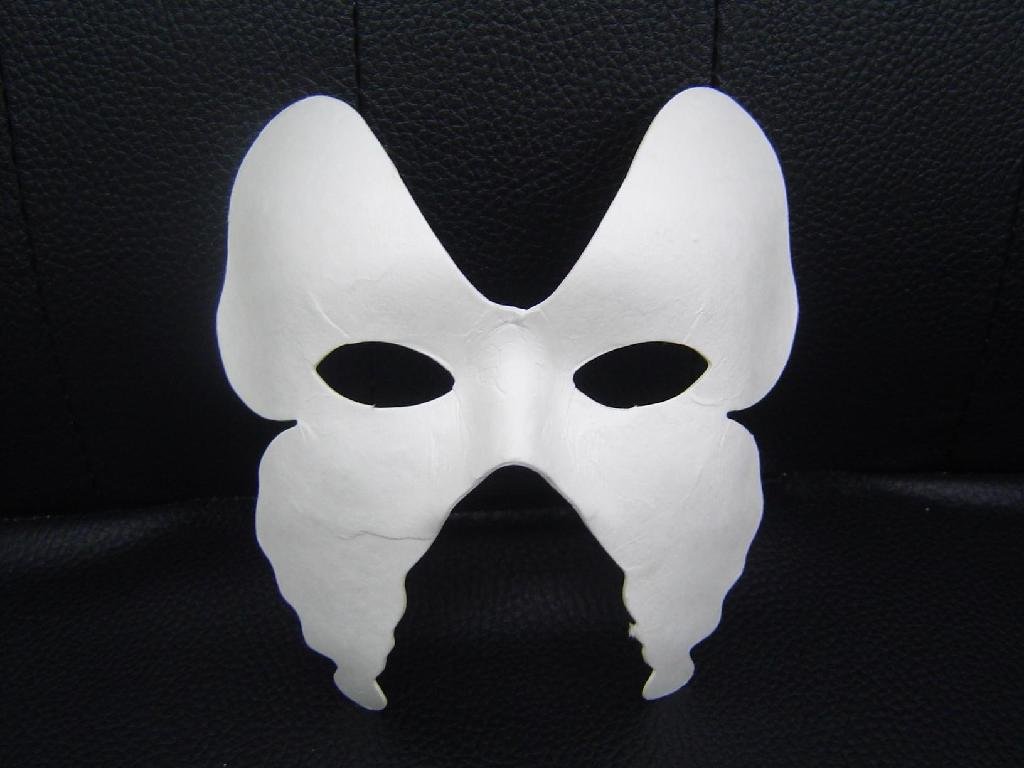
Masquerade-themed party tonight! (Friend's private party)
Wooo!
It's going to be LIVE

Thursday, 9 June 2011

Things to do (Week 5+)

Note to self for things to do.
Going to keep this short for now. Gotta go to class soon so I'll keep this quick and edit it when I get home tonight.

DMA155 (Fred_Audio):
Soundscape assignment!
DMA133 (Aviva): Project 2 (Newspaper & Color grid concepts)
DMA179 (Tedford): Artist project → upload to blog
DMA188 (Joseph_Interactivity): Product review assignment!
DMA101 (Joseph_NewMediaTools): Character Illustration assignment
DMA204 (Photography): Self Portrait.  
ICA001/002: In-class test on Friday, June10ᵗʰ (review the lessons!)
----------------> Update: [LoL this test was SO easy.]
EAC150: Read required chapters & Articles + Questions
PSY204: Read required chapters!

Tuesday, 7 June 2011

Determination

Tonights ganna be a long night.
Study study study - then party party party from Friday!
Muahahah

Totally still not minding school though. 

DMA101 - Sports Logo

For our second assignment in DMA101, we were given out a task to trace and reproduce a sports team logo that is fairly challenging yet not too hard. I simply chose the Celtics team because it seemed not too difficult, yet still difficult - if that made any sense. Although I was kind of oblivious to how I would execute this in the beginning (as Joe said, planning is crucial), I took the time to go to one of the DMA tutors. We sat down and within 10 minutes I had already figured it out most of it. The planning / layer part and how I was going to do it while using the pathfinder in some cases, etc.

Final Product
The Process:
I hadn't run into too many problems at all during the making of this logo but there were a few things on my noggin.
There was much confusion on how I should categorize/layer this.
By color? Body parts? In the end I kind of fused both ideas.

Next confusion was which layer to put on top. I think about it now after
on how it's common sense but during the making I was playing around with
which layer was to go on top of which.

Heres the comparison.
Original (On the left) | My product (On the Right)

Here's the finished product with the ruler guidelines.


Sunday, 5 June 2011

Resources

Can you say, best home-made lighting board
EVER?

Haha, I just taped the two papers onto the glass table
and stuck my cell-phone on at the bottom of the table
with the Flashlight App. on.

Saved me so much time lol

Wednesday, 1 June 2011

Things to do. .

Audio: Soundscape Project
Sketching for Communications: Super Downtown Adventure Quest
ICA001: Word online/in-class test Look @ Schedule to see if in-class or online
New Media Tools: Illustrator Quiz on Thurs & Sports Logo!!
Interactivity: Study for test on Wed!! + Product review assignment
Psychology: Quiz next week (Wed)
EAC150: Essay assignment (Plan out!)
Multimedia Design: 16Pos/16Neg Letter composition
Photography: Bring camera to class!

Monday, 30 May 2011

2 Weeks until my baby's birthday

Saturday, 28 May 2011

Update


I've updated the list of things to do for school/assignments. If you want, you can check it out

So caught up in Adobe Illustrator!

Watercolor & Photoshop

Last week, we were asked to do five, 10 minute watercolor paintings of random toy models that were shown. Forgive my crappy paint skills.
Then we were asked to make a color palette/brush preset/texture rendering.

This is from my PORTFOLIO BLOG

The following:

Photoshopped:


Back 2 Basics


These are just my parts. Full session video uploading soon to crew channel.


Just a whole lotta old moves & basics. 
Security came and kicked us out 'cause of these noob skateboarders, so we didn't have time to really do aynthing. Hence the shortness, haha.

Friday, 27 May 2011

Photography Short

Texture 1
Sock
Reminded me of two things.
1) Grasslands from above
2) Whole bunch of pluck-able feathers from afar

 Texture 2
Symmetrical texture. It's pretty trippy if you keep looking at it.

Texture 3
I forgot the proper terminology for these but they are coin tube holders.
For this one I tried to MAKE a texture instead of shooting whats already made.


The following pictures were for photography class. We were simply asked to get 3 pictures of textures.

Good Day

Finally, it's all done and over with. For the most part.

[✓] Photography texture assignment
[✓] Sports logo assignment


I'm just glad this 3.5 hour of illustrator is done and over with. Not that I didn't enjoy doing it, it was very fun let me assure you (call me crazy if you think that I think this is fun), but it was just so time consuming. Definitely not a bother though. I'm planning to do a 2nd one just for kicks - heck maybe even a third one if I get to it.

Totally forgot about Tedford's Photoshop paint/texture assignment. Will have to find the painting @ home tonight and somehow get it done for tonight (aiming for midnight), even though I am going out tonight.

AFAIK (as far as I know), Aviva's Pos/Neg typography composition assignment is due the week after this upcoming week? Oh well, I'm going to finish everything up this weekend.
Anyhow, to YorkU for practice.
Ganna be a fun night!
Will upload Illus. stuff in a bit.

Thursday, 26 May 2011

Misc.

Shut up, stop complaining, lets work.
If you want it, sacrifice for the greater good.

Tuesday, 24 May 2011

Note to self

This is just a note to self (or others if this applies) of projects/school for THIS WEEK

Sound I (DMA155):
√ Project 1; E-mail Fred info
√ Project 2; Peter Piper asgnt

Sketching for Communications (DMA179):
√ Asgnt 1; E-mail Andrew social network infos
√ Asgnt 2; Upload Bunny mini project
√ Asgnt 3; Watercolor paint → Color/Brush/Texture Photoshop CS5
√  Task   ; E-mail Andrew back w/ Blog Submit form he attached

MultiMedia Design (DMA133):
-  Project 1; Typography → 16Pos/16Neg

English (EAC150):
√ Asgnt 1; Correct/Look over sample essay
√ Asgnt 2; Create a better thesis for sample essay
√  Task   ; Read Chapter 5 & Stephanie Nolan "Dot Com This!" AND Deborah Tannen (In textbook) [Read Course Addendum if required!!!]
- Task 2; Thoroughly read 'Respond in Writing' chapters AGAIN&AGAIN + Articles (Nolen/Rashid, etc)

New Media Tools (DMA101):
√ Asgnt 1; Lion head → Illustrator pen tool → Color/Layers
√ Sports Logo

Interactivity (DMA188):
※ N/A

Intro to Computer Apps (ICA001/002):
√ Task 1; Take pre-test (Only passed PowerPoint)
√ Task 2; Get SIMNET Keys ASAP($69_Excel/Word/Access)

Digital Photography & Imaging (DMA204):
√ Asgnt 1; Bring camera to class
√ Asgnt 2; 3 Pictures of textures
√  Task   ; BRING PICTURES TO CLASS

Perception & Communication (PSY204):
-  Task 1; Buy "The World of Psychology" textbook AND READ CHAPTERS (Addendum for reference)

Monday, 23 May 2011

DMA179 - Sketch Upload

Forgive my sad excuse of an attempt to draw a cartoon bunny in a mere 10 minutes. This is for my Sketching for Communications class as we had to draw a bunny in 10 minutes, then asked to list out possible superpowers and names for it. Also a backstory.
I've posted this on my SCHOOLONLY/PORTFOLIO blog, TUMBLR

Introducing, Spoons.

A Spoonful. 
Spoons is no ordinary bunny. He comes from a place where numbers and codes overtake reality and his psychic mind abilities allow him to control objects with his mind while watching from afar.
He is wise as he attempts to train all Earth bunnies so that his plan of ruling the world may come to reality. His goofy appearance may have him look like a fool but he is not one to be underestimated. When his bunny soldiers get out of line, Spoons disciplines them by whacking them with -obvious- his spoon. Think of it as a magic wand, if you will. His origins are unknown, considering he is from a different quadrant of the universe and he himself has no idea how he arrived on Earth.
His next move. .

Family.

IMAG0855 by sdkim89
a photo by sdkim89 on Flickr.
Intense & sudden rain and family values, these kinds of factors somehow bring the family together. Making a scene just to close some windows and bring in some stuff and put some plants outside. It's like old tradition I guess, and just basic human rekindling (if that made any sense whatsoever).
Guess it takes us back (even my parents) to when we were young and used to play outside; even though when you look back from adulthood, you just chuckle at how childish you used to be. . .

Playing near the river/creek with other kids trying to catch tiny fishies, riding your bike home while getting caught in the rain, building some forts out of wood&dirt then coming home all dirty, catching fireflies in the field then ending up with several minor cuts.
Kids.

I guess really, nobody ever really grows up. :)

Sunday, 22 May 2011

❤❤❤❤❤

_MG_2692 by sdkim89
a photo by sdkim89 on Flickr.
Happy 6 Months  To my lovely girlfriend! 
Received this from her. Can you say. .  best girlfriend ever?  
So creative! :) 

Mat is 27.

Last night was a BLAST. Though I couldnt stay as long as I wanted to (heard some crazy stuff went down after I left), it was still alright.

Pictures and Videos of Mat's 27th Birthday night coming soon!!!

Location : Address not available

NUUUUU


Fomatting PC. FML

Of all the days.

:(

Location : Address not available

Saturday, 21 May 2011

Party People

It's my friend's 27th birthday today and there is going to be a dope party @ 25 The Esplanade today.
Real classy place! YOU should attend.
http://www.facebook.com/event.php?eid=103373893088074
If you would like to take part, please get in contact with me ASAP as it IS today (saturday) night.
I will get you on the guest-list which is REQUIRED to get in.

MSG me on FB or call/txt me.
I will be taking photos & videos at this event :)


25 The Esplanade
Toronto, ON
6:00PM ~ 1:00AM
Late arrivals are fine (even if it's like 8:00PM)

Like I mentioned above, just call/txt me about it if you're having troubles.
G-list is a requirement!!!

Wednesday, 18 May 2011

For the better


Professor Tanya Ceolin, I salut you.

Location : Seneca Ln, North York, ON M3J 3M6,

Tuesday, 17 May 2011

Stereo-Typography

"Type study: Stereo-typography

May 17, 2011

This is part of a series of guest posts on web typography. Today’s post was written by Dan Mall of Big Spaceship.
Choosing a typeface is an art. It requires a sense of taste, style, genius, and dumb luck.
But it’s also a science. We can apply logic and history in a way that points us in the right direction and deters us from poor choices. The right typeface can inspire interfaces, but what inspires those typographic decisions in the first place?
Enter
 stereo-typography, the art of using stereotypes to inform your type choices. Designing with stereotypes makes those initial choices a bit easier. Big = loud. Small = quiet. Smooth = elegant. Irregular = experimental. Look for typefaces whose letterforms embody a characteristic you’d like to subconsciously communicate."
Read rest of the article here.

And it creeped. .


. . in silence, gaining what little information was available only to find out that it was the right location. I was working away on my latest project when I had received that phone call. .

It rung in my ears like deathly wedding bells, trembling, shivering as I looked up upon my dark surroundings.

"Oh what have I done to deserve such a curse to be followed!? For this shadow to creep upon my figure forevermore!?"

Suddenly the door creaked and I asked, "who goes there!" But no response. It was like I was in a void where no being could hear my thoughts, my voice.

I cautiously left the room not aware of my surroundings with no source of vision, then suddenly something grabbed hold. I panicked and tried to break free but it's grip was too tight, and as I turned around I saw a humanly figure in front of me. . .

"HI  8D"

....

.....

......

.......

It was my girlfriend.

:)

Location : Express Toll Route, Vaughan, ON L4K,

Monday, 16 May 2011

The Creative Mind

Our minds are brilliant. No, it's beyond brilliant - what our minds are capable of is far beyond the reaches of science yet we are trapped within this standard of what and how we think and view things.

Creative minds.
-Imitate to Innovate-
Our creative minds have been damaged by decades of research into psychology, sociology, and anthropology - holy cow batman! At the cost of figuring out who and what we're made of, we've sacrificed a crap-load of mental processing!
This post has no real hard-based argument of any sort and I'm not going to blabber on about such topics, it's just to get you thinking about . . . SOMETHING, instead of aimlessly looking into the screen reading whatever is on your screen like a zombie.

:)

. . . Did it work?

Share

Twitter Delicious Facebook Digg Stumbleupon Favorites More